Route Card
Use the menu Route Card.
The Route Card report can be generated to provide the status of the report with traceability information of Raw Material used, status of stock at each stage, all the production entries for the route, Invoice generated and dispatched to customer from the route.
Route Card Generation options
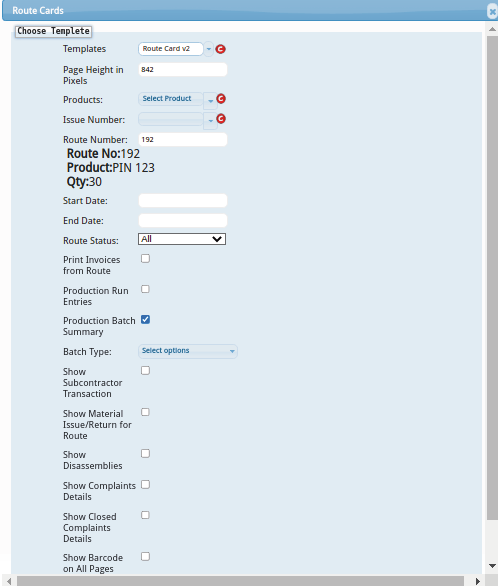
Once the Route Card menu is clicked, it open the Route Card generation form with options.
-
Enter the
Route Number. Once the Route number is entered, the final Part number of the route will be shown below. -
If Production entries are required in the Route Card report, check the option [x] Production Run Entries
-
If the details of Invoices generated from the route are required, check the option [x] Print Invoice from Route
Once all the options are selected, click on the Generate button to generate the Route Card. The generated Route Card will be shown in a new window.
To download the Route card as an excel file click on Download' button
To print the Route Card click onPrint` button